Shopify SEO is often treated as a metadata task: write a title tag, add a description and hope the page ranks. For ecommerce brands, the real opportunity is deeper. Product and collection pages need to match search intent, answer buying questions, connect logically through internal links and give search engines enough crawlable context to understand what each page should be visible for.
A strong Shopify SEO foundation is not about stuffing keywords into every heading. It is about building pages that are useful for customers and clear for search engines. Product pages should explain the item, its use cases, proof and buying details. Collection pages should help people compare options and understand the category. When those pages are thin, duplicated or isolated, organic visibility becomes much harder to build.
Why Product and Collection SEO Matters
Product and collection pages serve different search intents. Product pages usually target customers who are close to a specific purchase or researching a particular item. Collection pages often target broader category searches where customers want to compare products before choosing. Treating both page types the same is a common ecommerce SEO mistake.
A collection page with only a product grid may not provide enough context for competitive searches. A product page with manufacturer-style copy may struggle to stand out from similar stores. Shopify makes it easy to create pages quickly, but speed of publishing should not replace structure, originality and relevance.
Match Search Intent First
Before optimising a page, identify what the customer is likely trying to do. A search for a specific product name is different from a search for a category, comparison, material, use case or problem. The page should reflect that intent in its heading, copy, structure, images and internal links.
For example, a category search may need collection copy, helpful filters, buying guidance and links to related collections. A product-led search may need detailed specifications, benefits, reviews, delivery information and FAQs. If the page does not satisfy the intent, metadata alone will not carry it.
- Map important keywords to the correct page type before writing.
- Use collection pages for broader category and comparison intent.
- Use product pages for specific item, variant and buying intent.
- Avoid creating multiple pages that target the same phrase without a clear difference.
- Check whether the page answers the questions a real customer would ask.
Optimise Product Pages
Product page SEO should make the page more useful, not just more keyword-heavy. Start with a clear product title, original description, useful media and structured information. Customers should be able to understand what the product is, who it is for, what makes it different and what they need to know before buying.
Thin product descriptions are a common issue on Shopify stores. If many products use similar wording, search engines have less reason to treat each page as uniquely valuable. Add product-specific details where they matter: materials, sizing, compatibility, care instructions, use cases, comparisons, delivery notes and common objections.
Product Page SEO Checklist
Build Strong Collection Pages
Collection pages are often underused in Shopify SEO. Many stores rely on a grid of products with little or no supporting copy. That may be fine for returning customers who already know what they want, but it gives search engines and new shoppers limited context.
A strong collection page should explain the category, highlight important buying considerations and help customers narrow their options. This does not mean adding a long block of text above the product grid that pushes products too far down. The content should support the shopping experience, not get in the way of it.
- Add a short, useful category introduction near the top of the page.
- Use supporting copy lower on the page for buying guidance and FAQs.
- Make filters and sorting options relevant to how customers choose.
- Link between related collections to clarify site structure.
- Avoid near-duplicate collection pages created only for keyword variations.
If your store has many collections with thin or repeated copy, RexCode’s Shopify SEO optimisation service can help review page intent, metadata, internal linking, indexation signals and content depth across the ecommerce structure.
Improve Internal Linking
Internal links help customers discover useful pages and help search engines understand which pages are important. On Shopify stores, internal linking often depends too heavily on the main navigation and product grids. Useful contextual links inside descriptions, guides, FAQs and collection content can strengthen the relationship between related pages.
Link from informational content to relevant commercial pages, from collections to sub-collections, from product pages to parent collections and from buying guides to products where it genuinely helps the customer. The anchor text should be descriptive, natural and specific enough to explain the destination.
Internal Linking Checklist
Fix Metadata and Indexation Signals
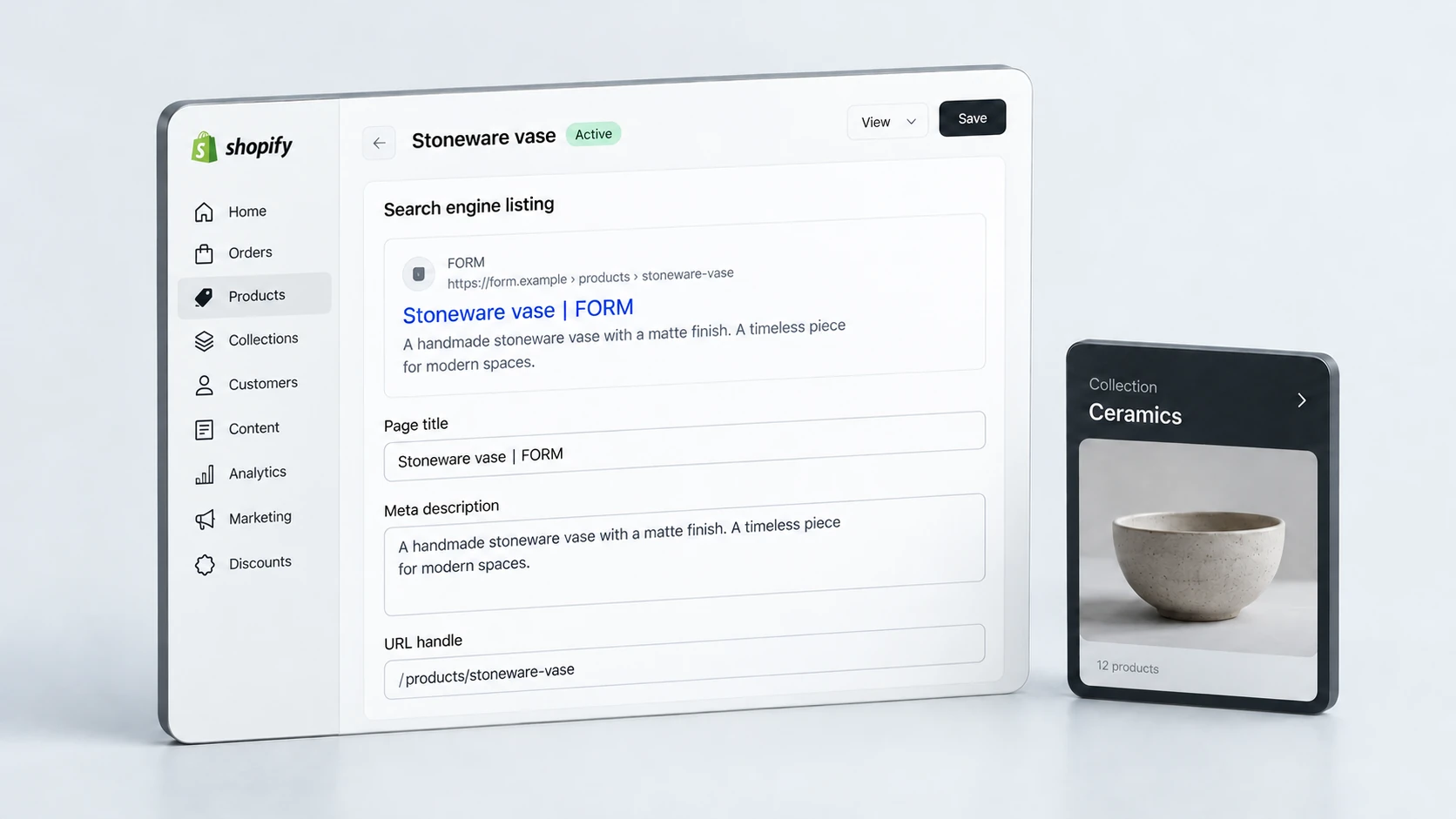
Metadata still matters, but it should summarise a strong page rather than compensate for a weak one. Title tags should be specific, readable and aligned with the page’s intent. Meta descriptions should help customers understand why the page is relevant. They do not directly guarantee rankings, but they can influence how useful the search result appears.
Indexation signals are also important. Check that important product and collection pages are crawlable, indexable and canonicalised correctly. Avoid accidentally hiding key pages behind noindex rules, duplicate canonical targets or confusing URL structures. Shopify can produce multiple URL paths for products, so canonical handling should be reviewed carefully.
- Write unique title tags for important products and collections.
- Use meta descriptions that reflect the real page content.
- Check canonical tags on product and collection URLs.
- Review noindex settings, robots rules and sitemap inclusion.
- Make sure important pages are linked internally and not buried too deeply.
Support SEO With Speed and UX
SEO is not separate from user experience. A page that is technically indexable but slow, confusing or difficult to use may still struggle commercially. Product and collection pages should load quickly, remain stable while content appears and make the next step clear.
Mobile UX is especially important for Shopify stores. Customers should be able to scan product images, compare options, read key details and add items to cart without friction. Search visibility can bring traffic, but UX determines whether that traffic has a realistic chance of turning into revenue.
Performance work often supports both SEO and conversion. If slow pages are limiting the shopping experience, a focused Shopify speed optimisation review can sit alongside SEO improvements to strengthen the overall store foundation.
Final Shopify SEO Checklist
Shopify SEO becomes stronger when product and collection pages are treated as part of a wider ecommerce system. Each page should have a clear purpose, enough useful content, clean technical signals and logical internal links.
Shopify Product and Collection SEO Checklist
Good ecommerce SEO is not a one-off settings task. It is the process of making your store easier to understand, easier to crawl and more useful for customers at each stage of the buying journey. When product and collection pages are structured properly, Shopify SEO has a much stronger base to grow from.
Frequently Asked Questions
Are product pages or collection pages better for Shopify SEO?
Both matter, but they serve different search intents. Product pages are usually better for specific item searches, while collection pages are better for broader category and comparison searches.
How much content should a Shopify collection page have?
Enough to explain the category and help customers choose, without pushing the product grid too far down. Short top copy, useful supporting content and relevant FAQs can work well.
Do Shopify meta descriptions improve rankings?
Meta descriptions do not guarantee rankings, but they can make search results more useful and aligned with customer intent. They should accurately reflect the page content.
Why are my Shopify pages not ranking?
Common reasons include thin content, weak internal links, duplicate intent, poor metadata, crawl or indexation issues, slow performance, weak authority or pages that do not satisfy the search intent.