Klaviyo can become one of the most valuable marketing systems in a Shopify store, but only when it is set up with clean data, clear flows and sensible segmentation. Installing the app is only the first step. The real value comes from connecting Shopify data properly, building automated journeys and sending messages that match customer behaviour.
A strong Klaviyo setup should support the full customer journey: new subscriber, first purchase, cart abandonment, browse abandonment, post-purchase education, repeat purchase and re-engagement. It should also respect consent, protect deliverability and give the brand a reliable foundation for future email and SMS growth.
Why Klaviyo Setup Matters
Email marketing is often seen as a campaign channel, but for Shopify stores Klaviyo is also a customer data and automation system. It can respond to product views, checkout behaviour, order history, customer tags and engagement signals. If the setup is weak, those signals can be underused or misinterpreted.
Poor setup usually shows up in practical ways. Welcome emails feel generic, abandoned cart flows repeat the wrong message, customer segments overlap, forms collect low-quality subscribers or campaigns go to people who are no longer engaged. The result is not only lower revenue from email, but weaker customer experience.
Connect Shopify Data Correctly
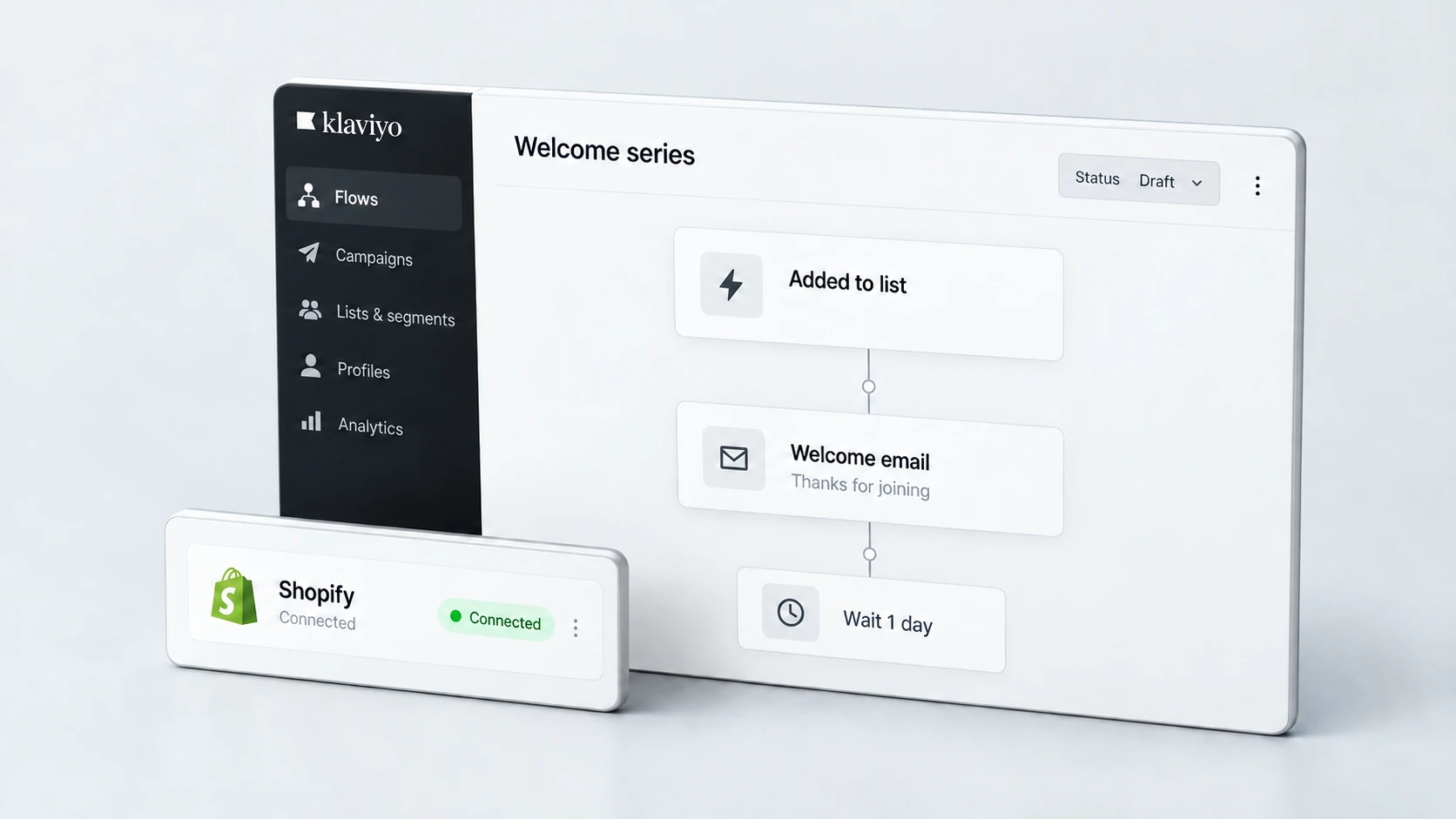
The Shopify integration is the foundation of a useful Klaviyo account. Product, customer, order and checkout data should sync correctly so flows and segments can respond to real behaviour. If the data is incomplete, automations may trigger incorrectly or miss important opportunities.
Review the integration settings, synced events, customer profiles, consent fields and product catalogue. Check whether historical customer data is needed, especially if the store is migrating from another platform or email tool. Poorly imported lists can create duplicate profiles, messy segments and deliverability problems.
- Confirm Shopify customer, order and product data is syncing correctly.
- Check that viewed product, added to cart and checkout events are available where needed.
- Review customer consent and marketing opt-in status.
- Clean imported lists before adding them to active campaigns.
- Check product catalogue data for missing images, titles or URLs.
If you are moving platforms, connect email planning with the wider migration process. A careful Shopify migration should protect customer data, tracking and post-launch marketing systems rather than treating Klaviyo as an afterthought.
Build the Core Email Flows
Flows are the heart of Klaviyo setup. They allow your store to send relevant messages based on customer behaviour, not only manual campaigns. The exact flow structure depends on the store, but most Shopify brands should start with a small set of reliable automations before building anything overly complex.
A welcome flow introduces the brand and helps new subscribers understand the offer. An abandoned cart flow helps customers who have shown purchase intent. A browse abandonment flow can support product discovery. A post-purchase flow can educate customers, reduce support questions and encourage a second purchase when appropriate.
Core Klaviyo Flow Checklist
RexCode’s Klaviyo setup service focuses on building the core Shopify email foundations: data connection, flows, segmentation, template structure and launch testing.
Plan Segments and Consent
Segmentation helps you avoid sending the same message to every customer. A new subscriber, repeat buyer, VIP customer, inactive subscriber and product-specific buyer may need different messaging. Good segmentation improves relevance and protects long-term list quality.
Consent matters just as much. Customers should only receive marketing they have agreed to receive, and lists should be managed carefully. Imported contacts, old subscribers and mixed-source data should be reviewed before campaigns are sent. This is especially important when a store has migrated from another platform or email provider.
- Create basic segments for subscribers, customers, repeat buyers and inactive profiles.
- Separate engaged subscribers from unengaged contacts.
- Use product or collection behaviour where it creates useful relevance.
- Respect consent and opt-in status across email and SMS.
- Avoid sending launch campaigns to unclean or outdated lists.
Set Up Campaign Foundations
Campaigns should sit on top of a stable account setup. Before sending regular newsletters or product promotions, create brand-consistent templates, clear content blocks and a practical campaign process. This makes it easier for the team to send better emails without rebuilding everything each time.
For Shopify brands, campaign planning should reflect product availability, seasonality, buying cycles and customer behaviour. The strongest campaigns are not only discount announcements. They can include product education, category guidance, customer questions, stock updates, launches and post-purchase content.
Campaign Foundation Checklist
Check Deliverability and Branding
Deliverability is the practical side of whether emails reach inboxes. It is affected by sender domain setup, list quality, engagement, content, frequency and complaint rates. A Klaviyo account should not launch with a large send to an untested or low-quality list.
Branding also matters. Emails should look and sound like the store, but they should not be overloaded with heavy imagery that makes mobile reading difficult. Customers should be able to understand the message, tap the CTA and reach a relevant page quickly.
- Set up branded sending domain requirements correctly.
- Warm up sending gradually if the list or account is new.
- Keep templates readable on mobile.
- Make unsubscribe links and footer details clear.
- Monitor opens, clicks, unsubscribes and spam complaints.
Email performance also depends on the store experience after the click. If people click emails but do not buy, review product pages, landing pages and checkout friction as part of wider conversion rate optimisation.
Test Before Going Live
Testing is where many Klaviyo setups fall short. Before flows go live, check triggers, delays, filters, subject lines, links, product blocks, discount codes, mobile layout and exclusion rules. A small mistake can send the wrong message, duplicate an email or promote an offer to the wrong audience.
Test from the customer’s perspective. Subscribe through the form, abandon a cart, view a product, place a test order and check what happens. Confirm that each flow behaves as expected and that messages stop when the customer completes the action.
Klaviyo Testing Checklist
Final Klaviyo Setup Checklist
Klaviyo setup should create a clean foundation for lifecycle marketing. The account should collect the right data, send the right automated messages and make future campaigns easier to manage. When the basics are built carefully, email can support retention, conversion and customer experience without becoming noisy or difficult to maintain.
Klaviyo Setup Checklist
The best Klaviyo accounts do not rely on constant promotions. They use Shopify data to send useful, timely messages that help customers make decisions, complete purchases and return when the timing is right.
Frequently Asked Questions
What Klaviyo flows should a Shopify store start with?
Most stores should start with a welcome flow, abandoned cart flow, browse abandonment flow, post-purchase flow and win-back flow. The exact structure should match the product, customer journey and available data.
Does Klaviyo work with Shopify customer data?
Yes. Klaviyo can sync Shopify customer, order, product and behavioural data. The setup should be checked carefully so flows and segments use accurate information.
Should I import old email subscribers into Klaviyo?
Only if the data is clean, consent is clear and the list is still relevant. Old or unengaged lists can harm deliverability if they are imported and contacted without review.
Can Klaviyo improve Shopify conversions?
It can support conversions by recovering abandoned carts, educating customers and improving repeat purchase journeys. Results depend on traffic quality, offer strength, store UX, list quality and how well the flows are set up.