A low Shopify conversion rate does not always mean the store needs a full redesign. Sometimes the problem is a weak product page. Sometimes it is unclear delivery information, poor mobile usability, slow pages, weak campaign message match or a checkout path that creates doubt at the wrong moment. The useful question is not simply “how do we increase conversions?” It is “where are customers losing confidence, clarity or momentum?”
Conversion rate optimisation works best when it starts with diagnosis. If you change random sections because they look weak, you may improve the design without improving customer behaviour. A stronger CRO process looks at the full journey, identifies the biggest leaks and prioritises fixes based on likely impact, evidence and implementation effort.
What Is a Conversion Leak?
A conversion leak is a point in the customer journey where people who should be moving closer to purchase lose interest, get confused or decide not to continue. On a Shopify store, leaks can happen before customers even view a product, while they compare options, when they open the cart or during checkout.
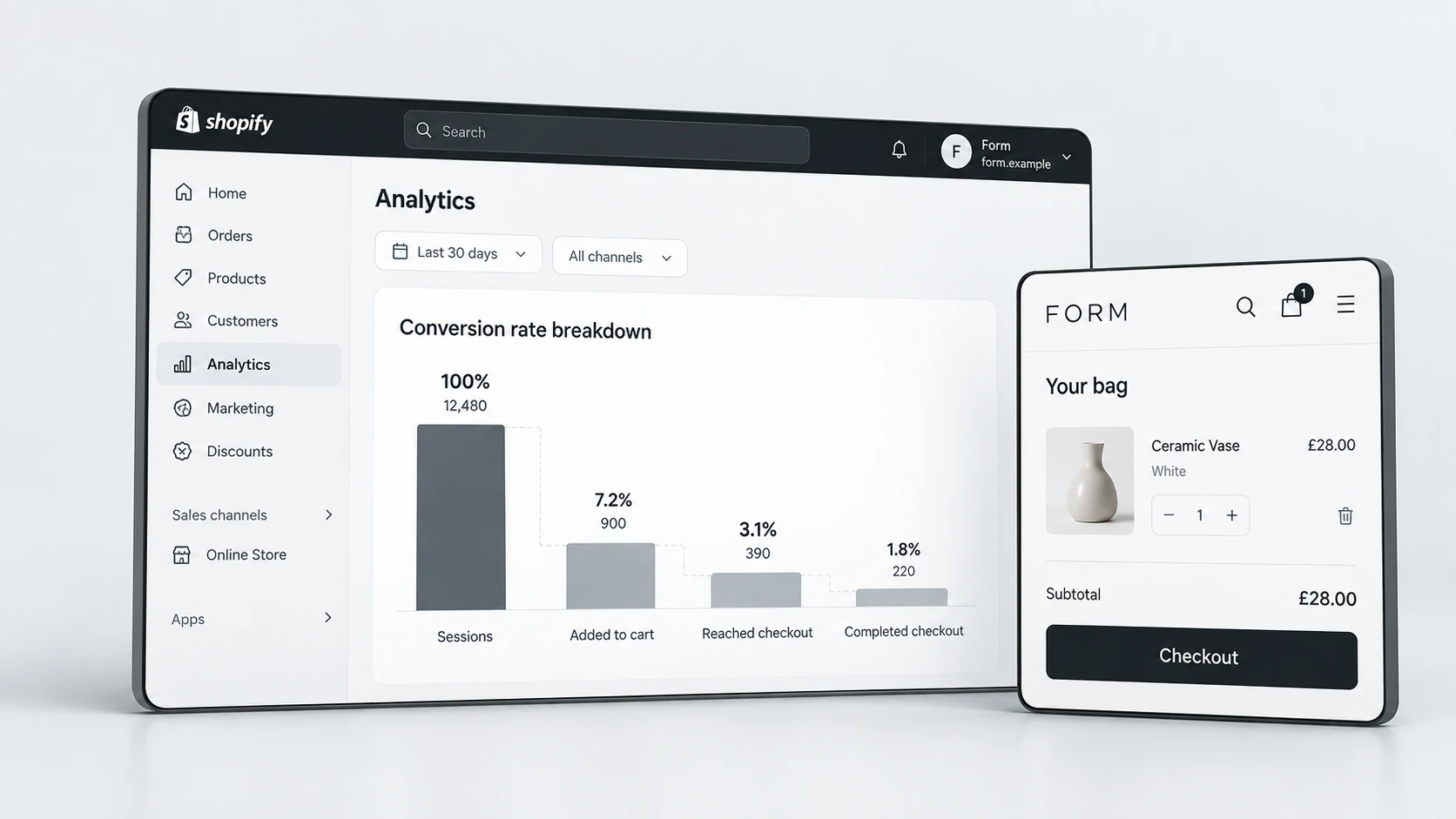
Not every drop-off is a problem. Some visitors are browsing, researching or outside your target audience. The important part is spotting abnormal friction. If qualified visitors reach a product page but rarely add to cart, the product page may not be answering enough buying questions. If many customers add to cart but do not check out, cart clarity, delivery cost, payment confidence or policy visibility may need attention.
Start With the Journey, Not the Button
Many ecommerce teams begin CRO by changing button colours, moving banners or rewriting one headline. Those details can matter, but they should come after the journey is understood. Before changing the interface, map the path customers take from traffic source to landing page, product discovery, product detail, cart and checkout.
This journey view helps you separate surface-level design preferences from real conversion blockers. For example, a homepage may look polished but fail to guide visitors towards the right collection. A product page may have strong images but hide delivery information too low. A cart may be clean but create surprise when shipping costs appear late.
- Which traffic sources are sending the most qualified visitors?
- Which pages receive meaningful traffic but weak engagement?
- Where do customers move forwards, pause or exit?
- Which page types are most important to revenue?
- Which objections are repeated across reviews, support messages or live chat?
Once the journey is mapped, CRO becomes easier to prioritise. You can focus on the pages and moments that influence buying decisions instead of polishing low-impact sections.
Check Traffic and Message Match
A store can look conversion-ready and still underperform if visitors arrive with the wrong expectation. Message match means the promise in the ad, email, search result or social post is reflected clearly on the page the customer lands on. If someone clicks an offer about a specific product benefit, but lands on a generic page with broad brand messaging, they have to work too hard to reconnect the dots.
This is especially important for paid campaigns. A customer coming from a focused ad usually needs a focused path. If the campaign promotes a product, bundle, seasonal offer or problem-led angle, the landing page should make that same idea visible quickly. In some cases, a dedicated landing page may support the campaign better than sending traffic to the homepage or a standard collection page.
Traffic and Message Match Checklist
If campaign traffic is important to your store, review whether your landing pages support conversion as well as acquisition. RexCode’s Shopify landing page design service can support focused campaign pages when standard Shopify templates are too broad for the offer.
Review Product Page Friction
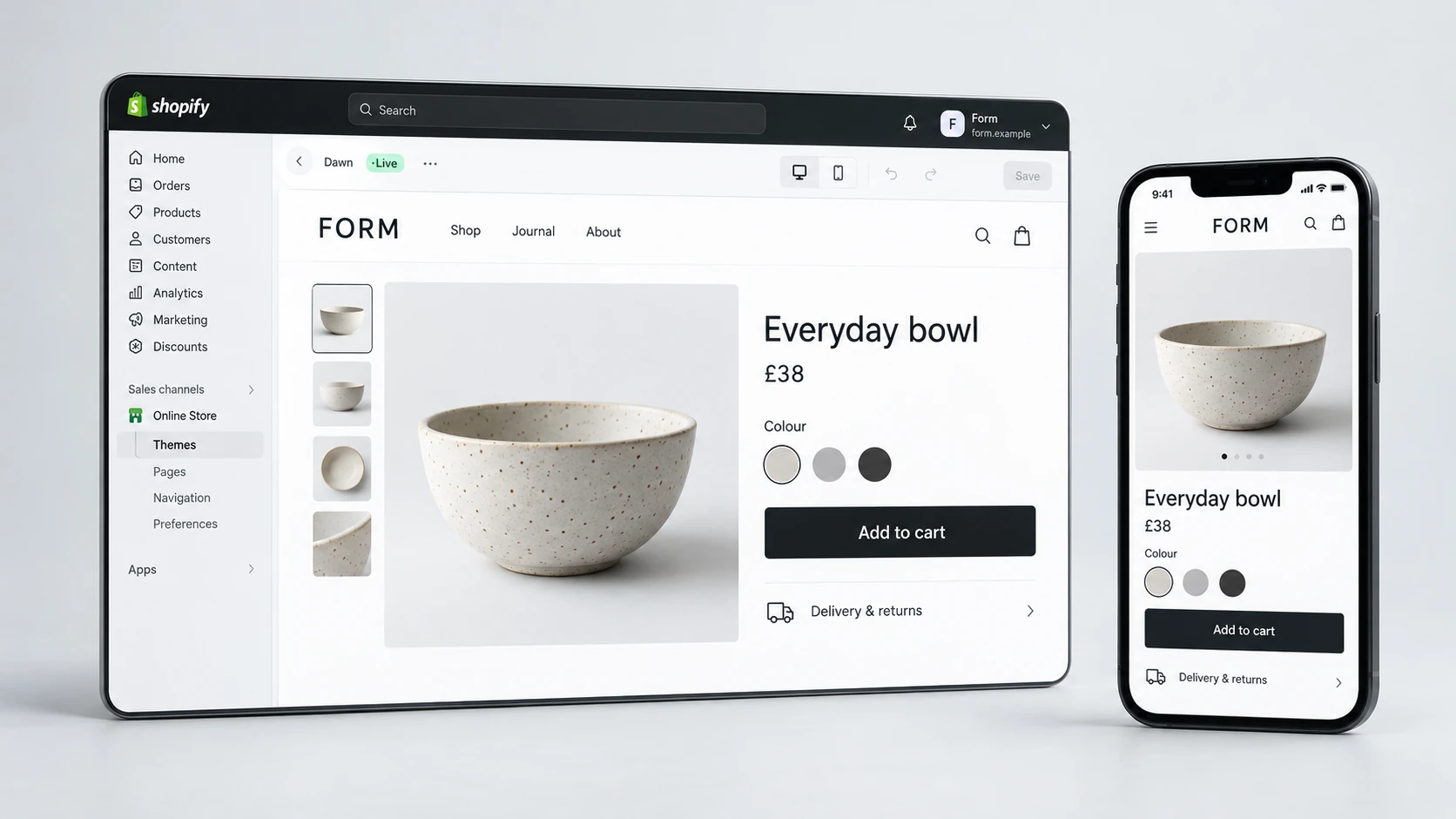
Product pages are often where conversion leaks become most visible. Customers arrive with interest, but interest alone is not enough. They need to understand what the product is, why it is right for them, what makes it trustworthy and what happens after they buy.
A product page can lose conversions when information is technically present but poorly structured. Long unformatted descriptions, hidden delivery details, weak imagery, unclear variant labels and missing FAQs can all slow down the decision. The page should make the buying decision feel easier, not more demanding.
- Place the product value proposition close to the top of the page.
- Use images that show scale, texture, usage and important product details.
- Make price, variants, delivery, returns and payment options easy to find.
- Add proof where it supports the decision, such as reviews or product-specific trust messages.
- Use FAQs to answer common objections before the customer leaves.
- Keep the add-to-cart action clear and easy to use on mobile.
Analyse Cart and Checkout Drop-Off
If customers add products to cart but fail to continue, the store has already earned a degree of buying intent. At this stage, small moments of doubt can become expensive. Unexpected delivery costs, unclear return policies, missing payment options and weak reassurance can all reduce checkout starts.
Cart optimisation should focus on clarity and confidence. Customers should know what they are buying, what it costs, when it may arrive and whether the purchase feels safe. The cart should also avoid overwhelming customers with too many competing messages. Helpful upsells can work, but only when they do not make checkout feel harder.
Cart and Checkout Leak Checklist
Shopify checkout itself has platform constraints, but the pre-checkout journey is highly important. Many conversion improvements happen before the customer reaches checkout, especially on product pages, cart drawers, shipping messaging and trust sections.
Audit Mobile Behaviour
Mobile CRO deserves its own review because many ecommerce stores perform very differently across devices. A desktop page can look clear while the mobile version feels cramped, slow or difficult to scan. If mobile traffic is high but conversion is weak, review the store on a real phone rather than relying only on a desktop preview.
Look for friction that only appears on smaller screens. Important information may be pushed too far down the page. Sticky bars may cover content. Product images may take too long to load. Variant selectors may be hard to tap. Review blocks, accordions and product details may appear in an order that does not match customer priorities.
- Test the store on actual mobile devices, not only responsive preview tools.
- Check whether product price, reviews, variants and CTA are visible without unnecessary effort.
- Make sure tap targets are comfortable and forms are easy to complete.
- Review page speed and image weight on mobile connections.
- Check whether sticky elements help the journey or create clutter.
Mobile improvements are often high-value because they affect large portions of traffic. They also tend to expose underlying hierarchy problems that may be less obvious on desktop.
Prioritise CRO Fixes
Once you have a list of conversion leaks, resist the temptation to fix everything at once. CRO should be prioritised. A good prioritisation process considers impact, evidence, effort and risk. A visible product page issue affecting high-traffic products should usually outrank a minor homepage polish item.
Group issues into practical workstreams: analytics and tracking, product page clarity, cart confidence, mobile UX, speed, trust, content and landing page alignment. This gives the team a clearer roadmap and prevents CRO from becoming a long list of disconnected opinions.
If you need a structured review, RexCode’s Shopify conversion rate optimisation service focuses on finding the highest-impact friction points across UX, product pages, trust, mobile and the buying journey before recommending changes.
CRO Prioritisation Checklist
Final Conversion Leak Checklist
A Shopify CRO audit should help you understand why customers are not progressing, not just what looks imperfect. The best opportunities often appear where customer intent is already present but confidence or clarity is missing.
Conversion Leak Checklist
Conversion leaks are rarely caused by one isolated element. They usually come from small moments of uncertainty across the journey. When those moments are identified and fixed in the right order, Shopify CRO becomes more practical, more measurable and more useful for long-term growth.
Frequently Asked Questions
What is a good Shopify conversion rate?
A good conversion rate depends on product type, traffic quality, price point, device mix and brand maturity. Instead of chasing a universal benchmark, compare performance by channel, page type and customer intent so you can find where the biggest leaks are happening.
How do I know where my Shopify store is losing conversions?
Review analytics, landing page behaviour, product page engagement, add-to-cart rate, cart activity, checkout starts, mobile usability and customer objections. The strongest CRO insights usually come from combining data with a manual UX review.
Should I redesign my store or optimise the current one?
If the store has a solid structure, focused optimisation may be enough. If the same UX, trust, content and theme limitations appear across multiple key pages, a redesign or deeper rebuild may be more practical.
Can CRO improve sales without increasing traffic?
It can help the store make better use of existing traffic by reducing friction and improving clarity. However, results depend on traffic quality, product-market fit, pricing, offer strength and how well the changes address real customer barriers.